Styles
Custom CSS styles can be applied to Navbar Card to personalize its appearance and adapt it to your dashboard's design. Simply provide a CSS string targeting the relevant classes to style the navbar to your liking.
type : custom:navbar-card
# ...
styles : |
.navbar-card {
background-color: black;
}
.button.active {
border-radius: 999px;
}
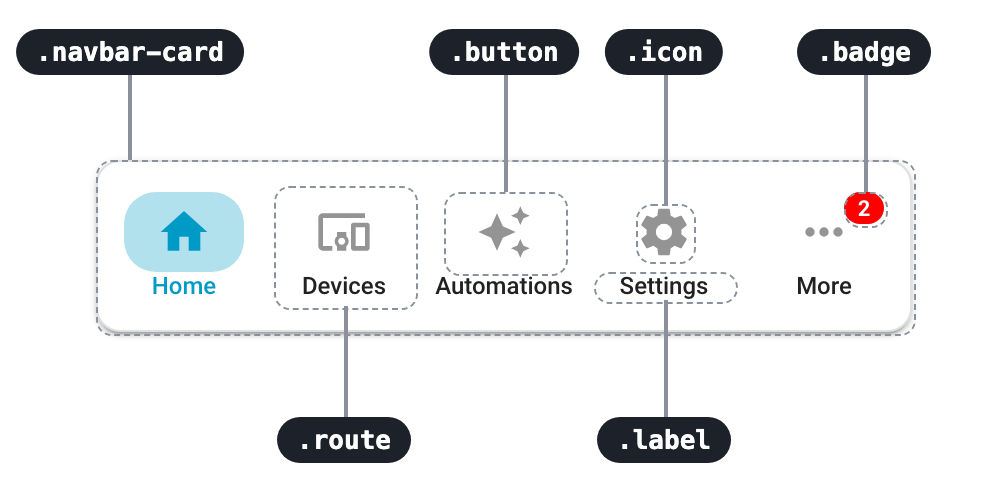
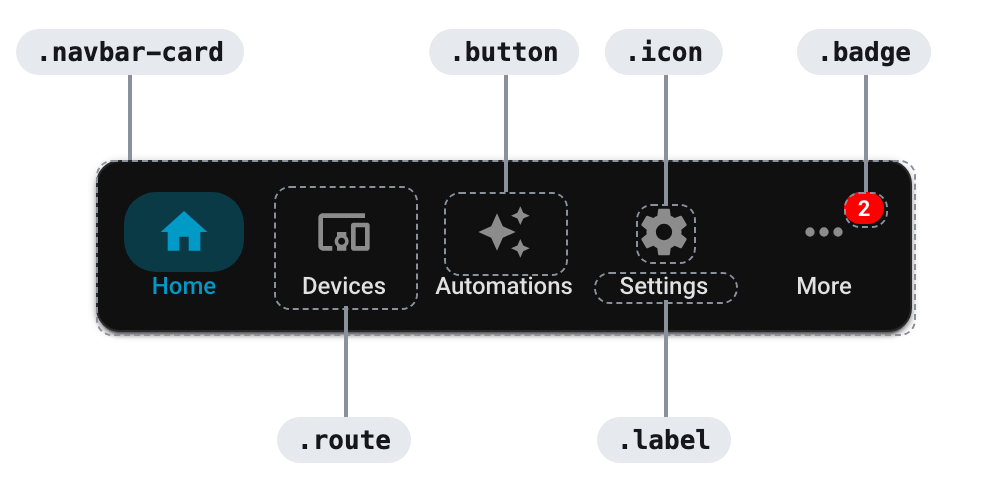
Anatomy
Tip
You can check out some examples here
Classes
Selectors to copy into styles, from the general ones to the specific cases.
Navbar
Selector
Matches
.navbarMain wrapper of Navbar Card and its widgets
.navbar-cardThe card itself (ha-card component)
.navbar-card.desktopThe card on desktop
.navbar-card.mobileThe card on mobile
.navbar-card.desktop.leftThe card placed on the left on desktop (also .top, .bottom and .right)
.navbar-card.desktop.dockedThe card on desktop with mode: docked
.navbar-card.mobile.floatingThe card on mobile with mode: floating
.navbar.mobile.safe-areaThe wrapper on mobile with safe_area: true
Routes
Selector
Matches
.routeEach route (or item) within the navbar
.buttonBackground element for each icon (popup items too, .route .button for routes only)
.iconThe ha-icon component used for displaying icons (popup items too)
.imageThe img component used for displaying route images
.labelText label displayed under the icons, if labels are enabled (popup items too)
.button.activeButton of the selected route (also .route, .icon, .image and .label)
Badges
Selector
Matches
.badgeSmall indicator or badge that appears over the icon (if configured)
.badge.with-counterBadge that displays text or a number
.badge.with-iconBadge that displays an icon
.badge-iconThe ha-icon displayed inside an icon badge
.badge.activeBadge of the selected route
Selector
Matches
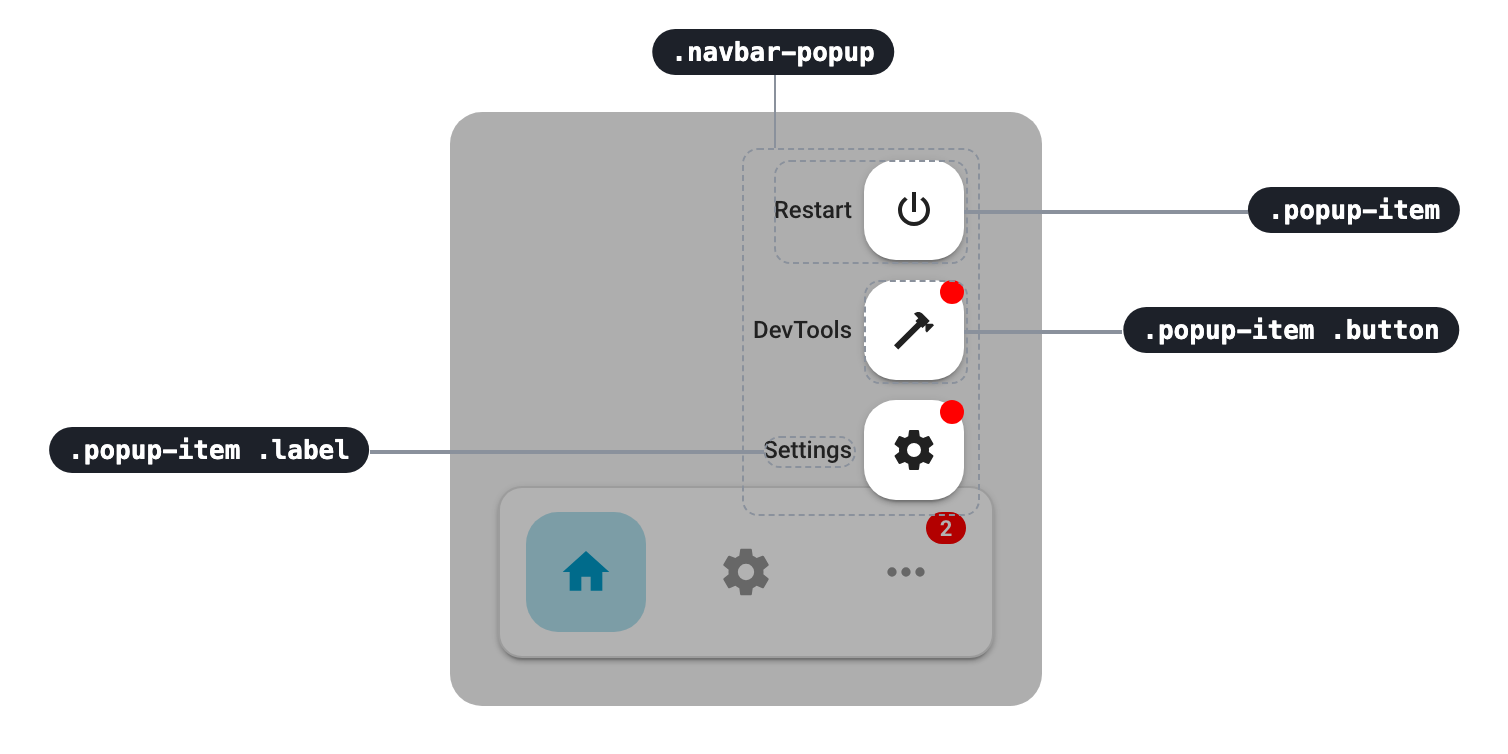
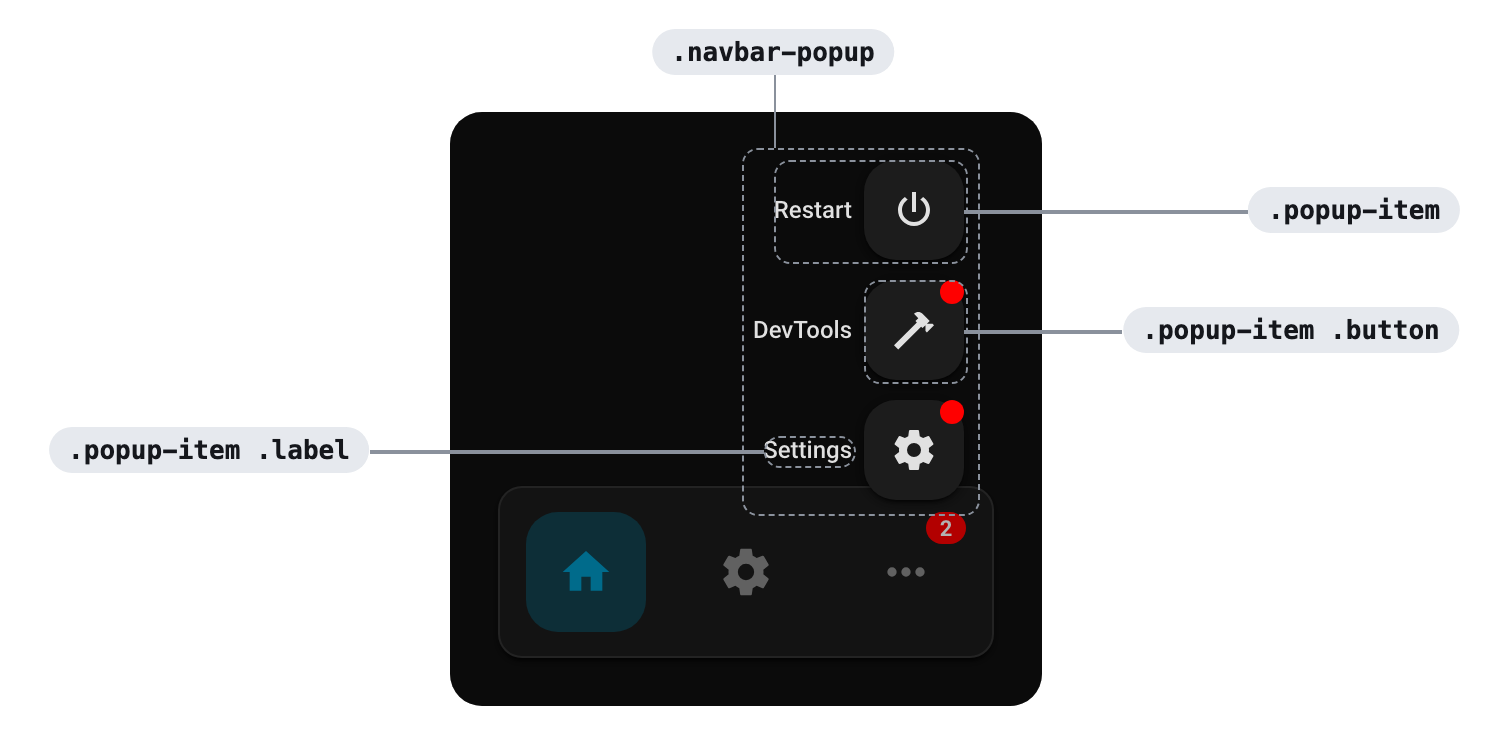
.navbar-popupMain container for the popup
.navbar-popup-backdropBackdrop of the popup
.popup-itemContainer of each popup item, with both the "button" and the label
.popup-item .buttonButton for each popup item, containing just the icon
.popup-item .labelLabel of each popup item
.popup-item.activePopup item of the current page
.popup-item.label-leftItems with the label left of the button (also .label-right and .label-bottom)
.popup-item.popuplabelbackgroundItems when show_popup_label_backgrounds is enabled
Selector
Matches
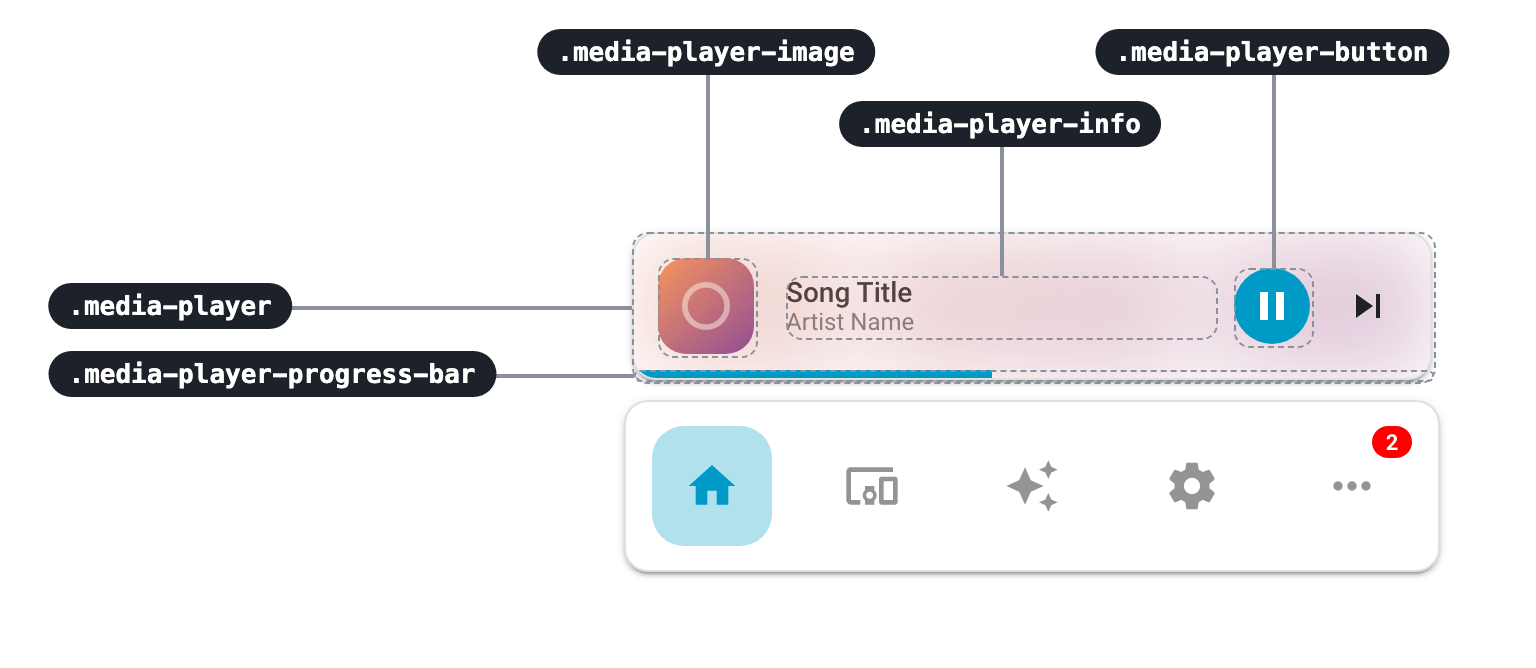
.media-playerThe media-player card
.media-player-bgBackground, with the image of the current media playing, blurred and with very low opacity
.media-player-imageImage container of the current song
.media-player-infoContainer for the title and artist
.media-player-titleContainer for the title
.media-player-artistContainer for the artist
.media-player-buttonAll buttons in the media_player card
.media-player-button-play-pausePlay/pause button
.media-player-button-skipSkip button
.media-player-progress-barContainer for the progress bar of the current playing media
.media-player-progress-bar-fillFilled section of the progress bar
.media-player-carouselContainer when multiple players are configured
.media-player-dotEach dot of the carousel (.media-player-dot.active for the current player)
CSS variables
The .navbar component relies on a set of CSS variables to manage its styling. You can customize its appearance by overriding the following variables:
styles : |
.navbar {
--navbar-primary-color: red;
--navbar-border-radius: 24px;
}
Colors
Name
Default value
Description
--navbar-primary-colorvar(--primary-color)
Accent color used for Navbar Card
--navbar-background-colorvar(--card-background-color)
Background color used for all ha-card elements inside .navbar
Sizes
Name
Default value
Description
--navbar-border-radiusvar(--ha-card-border-radius, var(--ha-border-radius-lg, 12px))
Border radius applied to all ha-card elements inside .navbar
--navbar-route-icon-size24px (28px on desktop)
Size in pixels for each .icon element (set it on .navbar-card to also change it on desktop)
--navbar-route-image-size32px
Size in pixels for each .image element
--navbar-badge-size16px
Size of badges that contain a count, text, or icon
--navbar-badge-icon-size12px
Size of the icon displayed inside an icon badge
Shadows
Name
Default value
Description
--navbar-box-shadow0px -1px 4px 0px rgba(0, 0, 0, 0.14)
Box shadow used in mobile docked layout
--navbar-box-shadow-mobile-floatingvar(--ha-box-shadow-s, var(--material-shadow-elevation-2dp))
Box shadow used in mobile floating mode
--navbar-box-shadow-desktopvar(--ha-box-shadow-s, var(--material-shadow-elevation-2dp))
Box shadow used in desktop mode
Position
Name
Default value
Description
--navbar-left-marginvar(--ha-sidebar-width, var(--mdc-drawer-width, 0px))
Left margin of the navbar on desktop (the HA sidebar width)
--navbar-edge-inset16px
Distance between the navbar and the screen edge on desktop
Z-index
Name
Default value
Description
--navbar-z-index3
Default z-index for Navbar Card
--navbar-media-player-z-index4
z-index used for the media player widget
--navbar-popup-backdrop-z-index900
z-index used for the .navbar-popup-backdrop element
--navbar-popup-z-index901
z-index used for the .navbar-popup element