Routes
Routes are clickable navigation items that send you to another view or run an action. Each route supports the following configuration.
Configuration options
| Name | Type | Default | Description |
|---|---|---|---|
url |
string | Required* |
The path to a Lovelace view, opened on tap unless tap_action is defined. Also used to show the route as selected. |
icon |
string | JSTemplate | - | Material icon to display as this entry icon. Either icon or image is required. |
icon_selected |
string | JSTemplate | - | Icon to be displayed when url matches the current browser URL |
icon_color |
string | JSTemplate | - | Custom color for the icon of this route. |
image |
string | JSTemplate | - | URL of an image to display as this entry icon. Either icon or image is required. |
image_selected |
string | JSTemplate | - | Image to be displayed when url matches the current browser URL |
badge |
Badge | - | Badge configuration |
label |
string | JSTemplate | - | Label to be displayed under the given route if show_labels is true |
selected |
boolean | JSTemplate | - | Controls whether to display this route as selected or not. If not defined, the selected status will be computed as route.url == window.location.pathname |
selected_color |
string | JSTemplate | - | Custom color for the icon and label when the route is selected |
tap_action |
CustomAction | - | Custom tap action configuration. |
hold_action |
CustomAction | - | Custom hold action configuration. |
double_tap_action |
CustomAction | - | Custom double_tap action configuration. |
popup |
Popup items | JSTemplate | - | List of routes to display in a popup menu |
hidden |
boolean | JSTemplate | - | Controls whether to render this route or not |
Info
url is required unless tap_action, hold_action, double_tap_action or popup is present. A tap_action replaces navigating to url on tap, but url is still used to show the route as selected.
Tip
Some suggestions when using the image property:
- Place your custom images in the
<ha-config-folder>/wwwdirectory - Use images with a transparent background for best results
- Keep image dimensions squared for best results
Badge
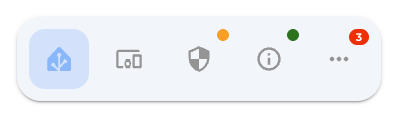
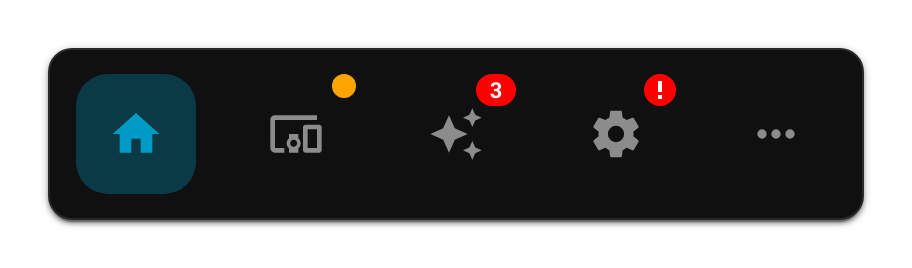
A badge displays a small status indicator, count, text value, or icon over a navbar item. The badge remains hidden unless show is true or resolves to true.
| Name | Type | Default | Description |
|---|---|---|---|
show |
boolean | JSTemplate | false | Controls whether to display the badge |
color |
string | JSTemplate | red | Background color of the badge |
count |
string | number | JSTemplate | - | Text or number displayed inside the badge |
text_color |
string | JSTemplate | Automatic | Text color, calculated for contrast when omitted |
icon |
string | JSTemplate | - | Home Assistant icon displayed inside the badge |
icon_color |
string | JSTemplate | Automatic | Icon color, falling back to text_color and automatic contrast |
If both icon and count are configured, a non-empty icon takes priority. If an icon template returns an empty value, the badge falls back to count or to the standard dot.
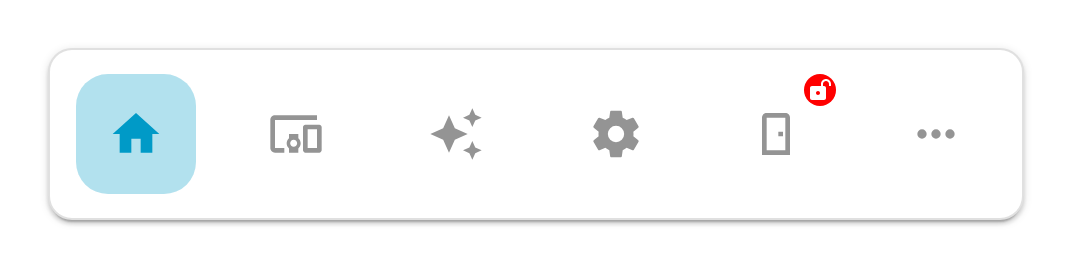
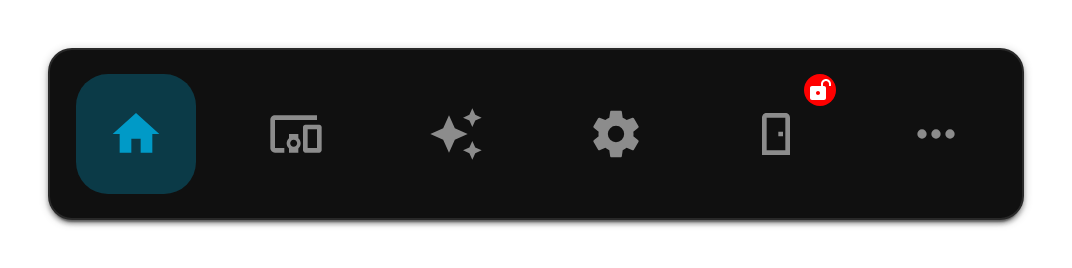
Icon badge example
This example displays a red badge with an unlocked icon while the front door is unlocked:
routes:
  - icon: mdi:door
    label: Front door
    url: /dashboard/security
    badge:
      show: |
        [[[ return states['lock.front_door'].state === 'unlocked'; ]]]
      icon: mdi:lock-open-variant
      color: red
      icon_color: white
Popup items
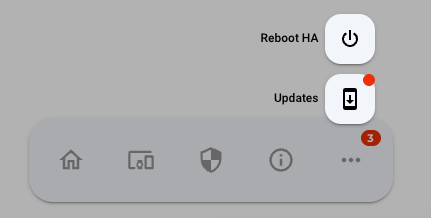
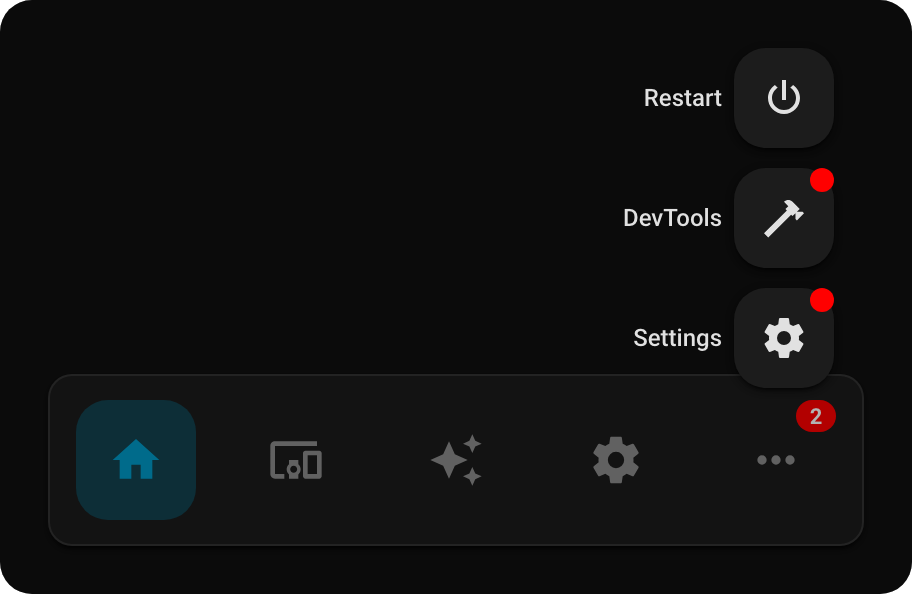
For each route, a popup menu can be configured, to display a popup when clicked. This is activated using the open-popup action in tap_action, hold_action or double_tap_action.
| Name | Type | Default | Description |
|---|---|---|---|
url |
string | Required* |
The path to a Lovelace view, opened on tap unless tap_action is defined. Also used to show the item as selected. |
icon |
string | JSTemplate | - | Material icon to display as this entry icon. |
icon_selected |
string | JSTemplate | - | Icon to be displayed when url matches the current browser URL |
icon_color |
string | JSTemplate | - | Custom color for the icon of this route. |
image |
string | JSTemplate | - | URL of an image to display as this entry icon. |
image_selected |
string | JSTemplate | - | Image to be displayed when url matches the current browser URL |
badge |
Badge | - | Badge configuration |
label |
string | JSTemplate | - | Label to be displayed under the given route if show_labels is true |
selected |
boolean | JSTemplate | - | Controls whether to display this item as selected or not. If not defined, the selected status will be computed as item.url == window.location.pathname |
selected_color |
string | JSTemplate | - | Custom color for the icon and label when the item is selected |
tap_action |
CustomAction | - | Custom tap action configuration. |
hold_action |
CustomAction | - | Custom hold action configuration. |
double_tap_action |
CustomAction | - | Custom double_tap action configuration. |
hidden |
boolean | JSTemplate | - | Controls whether to render this route or not |
In addition to the default annotation, we also support using JSTemplate to define popup items. For example, you can dynamically define items based on the areas in your Home Assistant environment: